AutoMata
Full-Stack AI Workflow Automation Platform






Visually build, orchestrate, and execute multi-step automation pipelines across external services — without Zapier, Make, or n8n.
Features · Architecture · Setup · Roadmap
What is AutoMata?
AutoMata is a workflow orchestration platform built entirely from scratch — no Zapier, no Make, no n8n under the hood. Every OAuth flow, every graph traversal, every credit deduction was engineered from first principles using official APIs.
Users connect services like Google Drive, Gmail, Slack, Discord, Notion, and Google Calendar, then compose those connections into automated pipelines using a drag-and-drop visual builder. Workflows execute through an event-driven runtime that traverses the graph in dependency order, propagates outputs between nodes, and logs every operation for forensic review.
The result is a multi-tenant SaaS platform where every user's integrations, credentials, workflows, and billing state are fully isolated from each other.
Platform Architecture
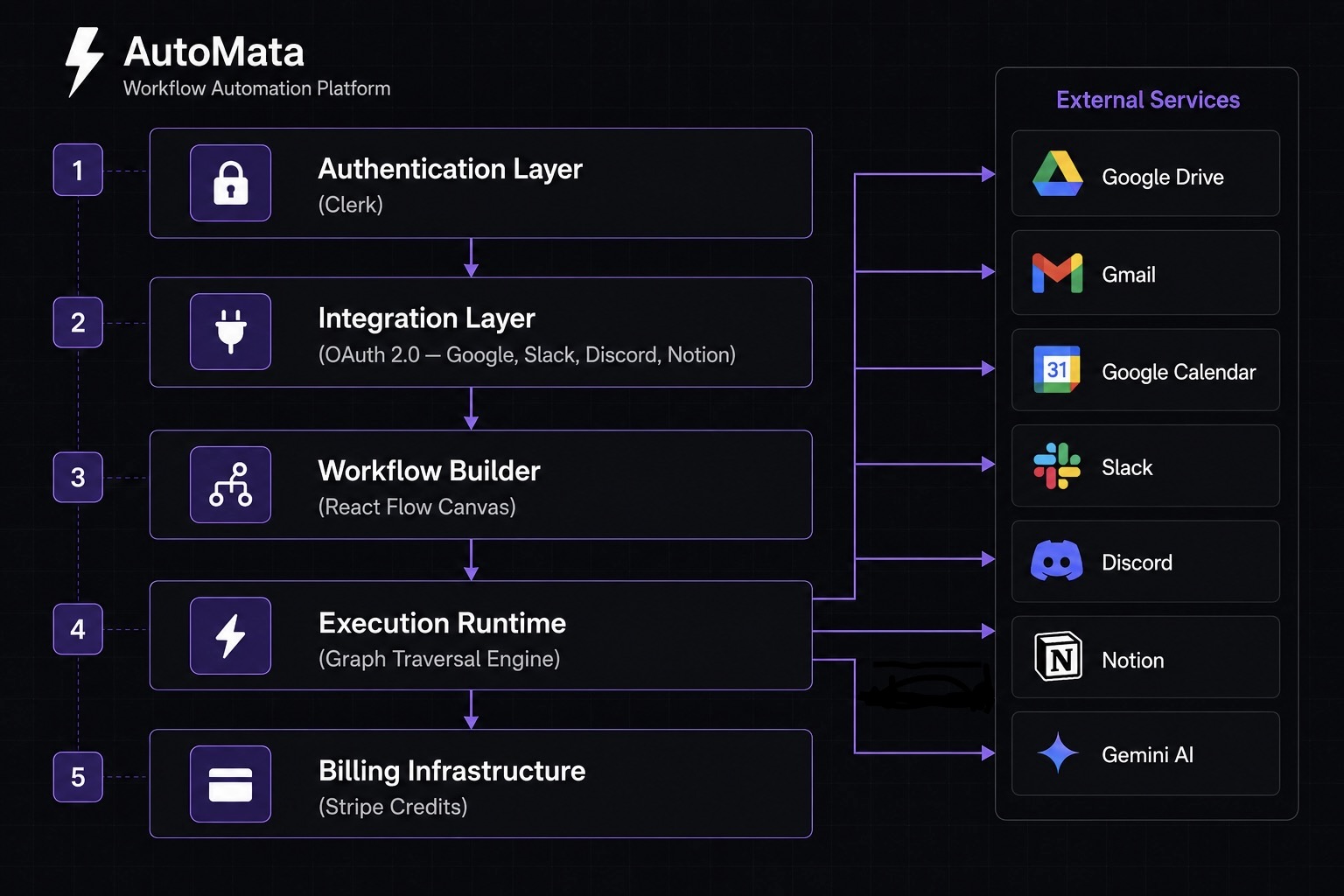
The platform is composed of five independent layers, each with a single responsibility, connected through a central execution runtime.
| Layer | Responsibility |
|---|---|
| Authentication | Identity verification, session management, and route-level access control via Clerk |
| Integration | OAuth 2.0 authorization flows, token persistence, refresh lifecycle, and scope validation |
| Workflow Builder | Drag-and-drop graph composition, edge dependency creation, and workflow serialization |
| Execution Runtime | Trigger handling, topological graph traversal, context propagation between nodes |
| Billing Infrastructure | Credit validation, per-execution deduction, Stripe payment processing, tier enforcement |
Core Features
Visual Workflow Builder
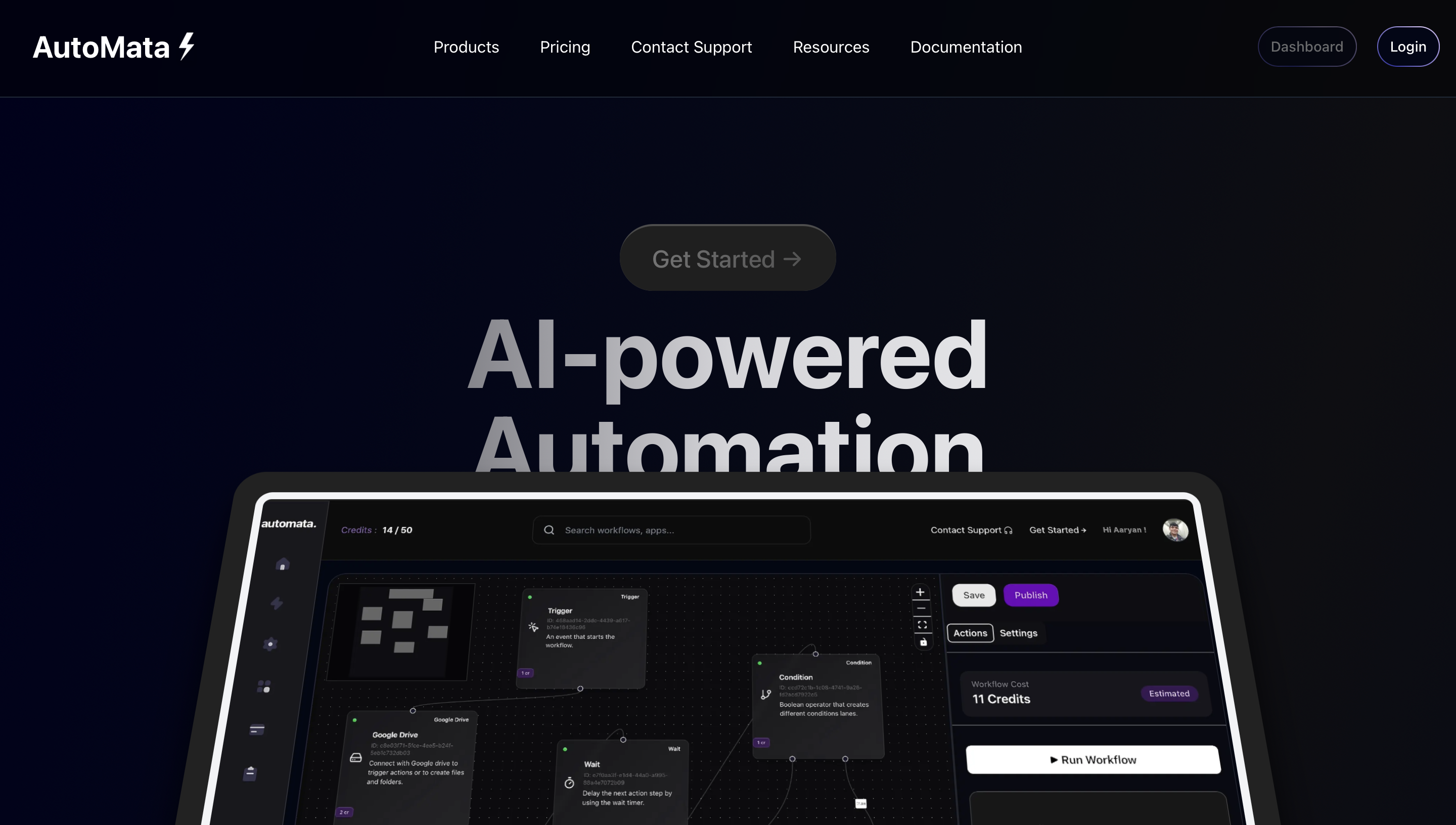
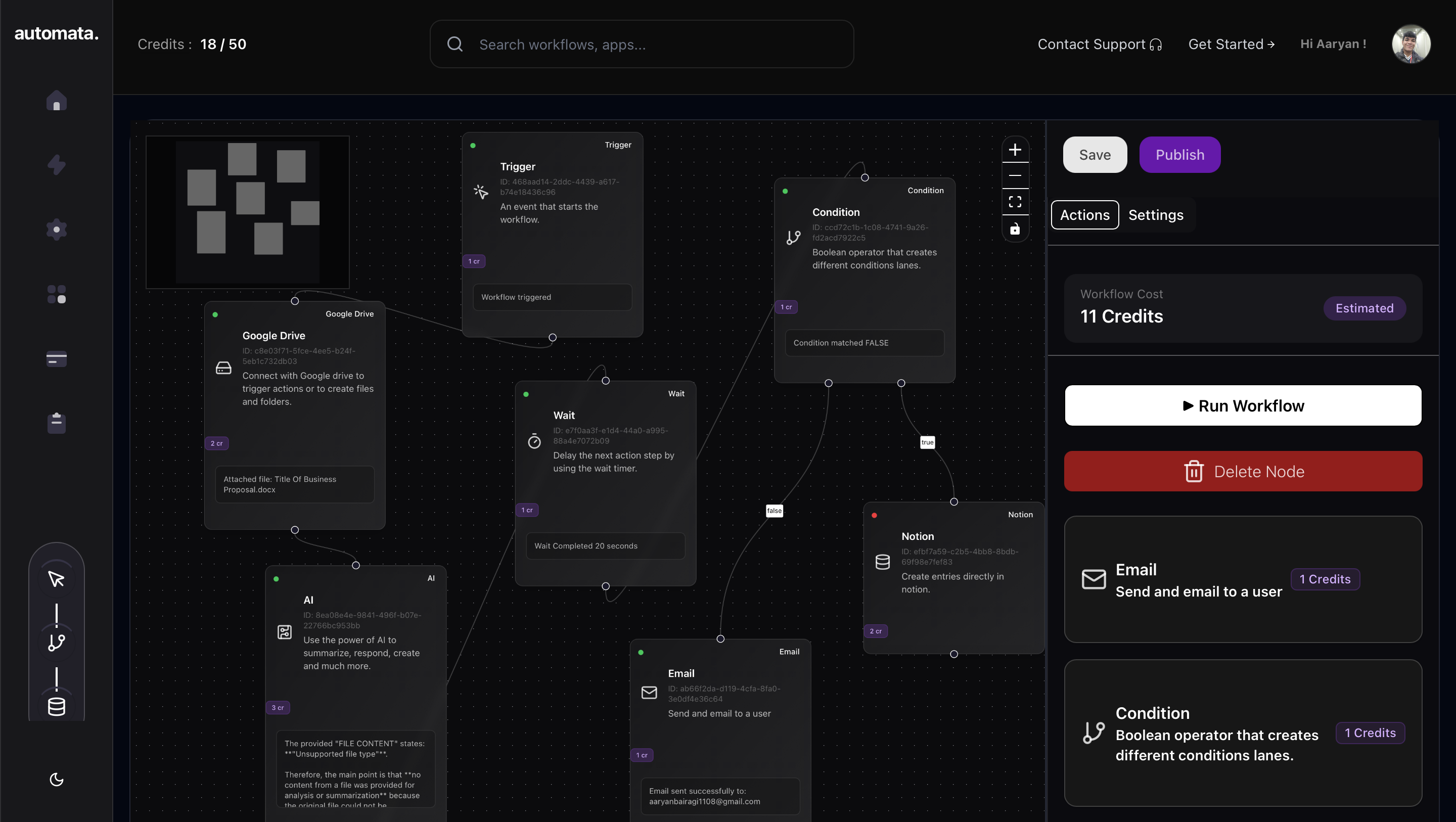
The heart of AutoMata is a React Flow-powered infinite canvas where users assemble workflows by connecting nodes with edges. Each node represents a discrete operation — sending an email, querying a file, calling an AI — and edges define the execution order and data dependencies between them.
Workflows are serialized as graph structures in PostgreSQL, so they persist across sessions, can be duplicated, and resume execution exactly where they left off after a failure.
AI Execution Nodes
AutoMata ships with Gemini-powered AI nodes that fit directly into the workflow graph. Users configure a prompt, inject upstream context variables (like a file's contents or a Slack message's text), and the node's output flows into whatever comes next in the pipeline. Multiple AI nodes can be chained, letting complex multi-step reasoning happen inside a single automated workflow.
Native OAuth 2.0
Every platform integration — Google, Slack, Discord, Notion — is implemented from scratch using each provider's official OAuth 2.0 spec, without wrapper libraries. Access and refresh tokens are encrypted at rest, scoped strictly to the authenticated user, and refreshed transparently when they expire. This means AutoMata never shares credentials between tenants and has complete control over the token lifecycle.
Event-Driven Execution Runtime
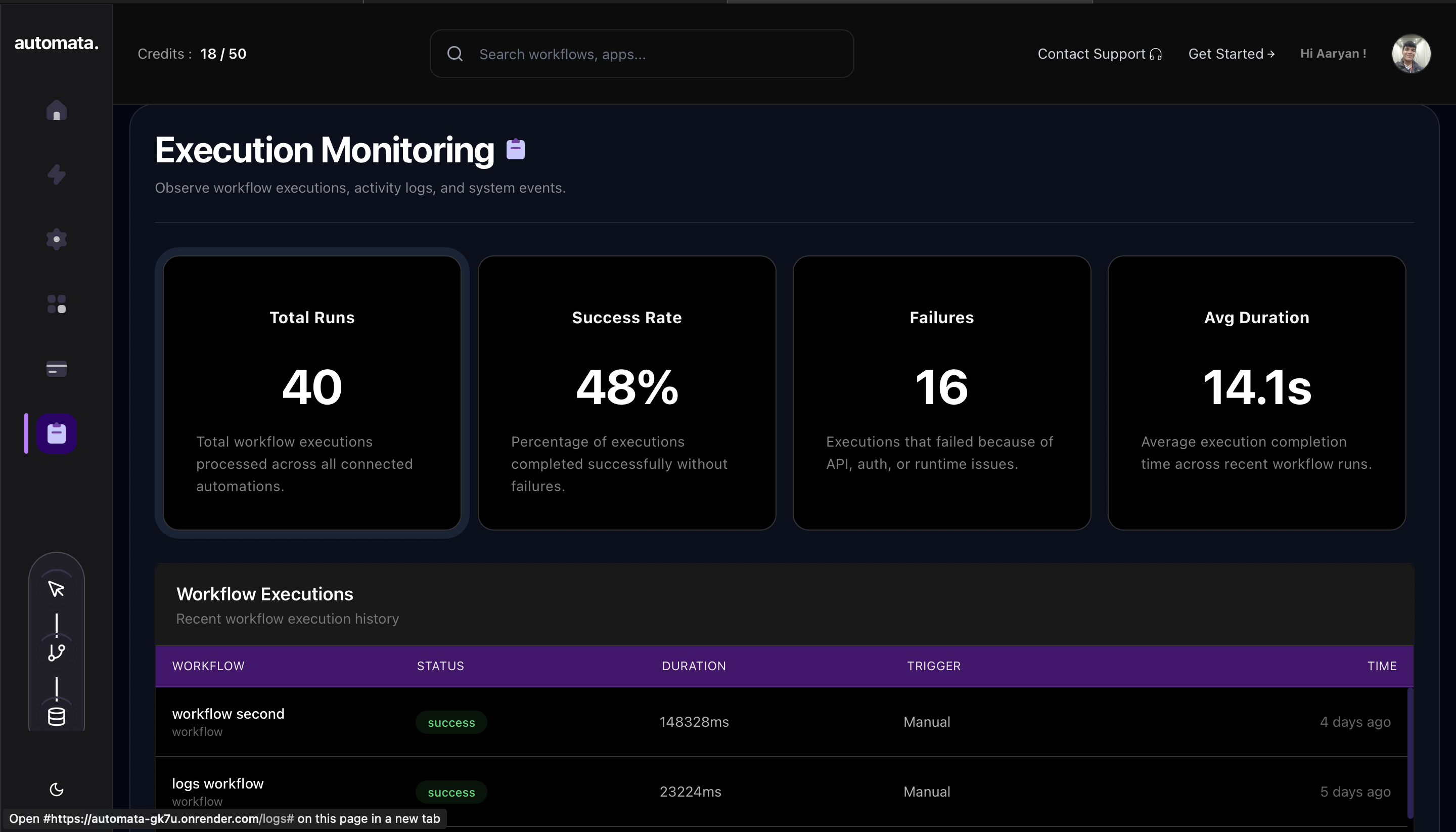
When a trigger fires (a new Google Drive file, a Slack message, a calendar event), the runtime loads the subscribed workflow's graph, sorts nodes into dependency order using a topological traversal, and executes each node sequentially — passing outputs downstream as it goes. Every run is logged with per-node status, duration, and credit consumption.
Usage-Based Billing
AutoMata charges credits per workflow execution. Users purchase credits through Stripe, and the runtime validates balance before each run — pausing the workflow and notifying the user if credits are insufficient. This model scales naturally: light users pay almost nothing, heavy users pay proportionally.
Supported Workflow Nodes
| Node | Type | Description |
|---|---|---|
| Trigger | Source | Initiates workflow on an external event |
| AI | Processor | Gemini-powered intelligent processing with context injection |
| Condition | Control | Branches execution based on evaluated logic |
| Wait | Control | Delays execution for a configured duration |
| Gmail | Action | Sends email via the authenticated Google account |
| Slack | Action | Posts messages to configured channels |
| Discord | Action | Delivers messages via webhook |
| Notion | Action | Creates or updates pages and database entries |
| Google Drive | Action | Uploads, reads, and manages files |
| Google Calendar | Action | Creates and manages calendar events |
OAuth Integrations
AutoMata implements OAuth 2.0 natively for every supported platform. The flow is identical across providers:
User clicks "Connect" on a platform
        ↓
Redirect to provider's authorization screen
        ↓
User grants permission, provider returns auth code
        ↓
Backend exchanges code for access + refresh tokens
        ↓
Tokens encrypted and persisted, linked to user ID
        ↓
Execution runtime fetches per-user credentials at run time
        ↓
Expired tokens refreshed transparently
| Platform | Trigger Support | Action Support | Auth Method |
|---|---|---|---|
| Google Drive | ✅ File events | ✅ Upload, read | OAuth 2.0 |
| Gmail | ✅ Inbox triggers | ✅ Send email | OAuth 2.0 |
| Google Calendar | ✅ Event triggers | ✅ Create events | OAuth 2.0 |
| Slack | ✅ Message events | ✅ Post messages | OAuth 2.0 |
| Discord | — | ✅ Webhook messages | Webhook URL |
| Notion | — | ✅ Pages, databases | OAuth 2.0 |
Workflow Execution Lifecycle
When a trigger fires, AutoMata's runtime takes over:
1. Trigger Detection — An external event arrives from a connected integration.
2. Workflow Resolution — The dispatcher looks up all workflows subscribed to that event type for that user.
3. Graph Loading — The workflow's nodes and edges are loaded from the database and reconstructed as an in-memory graph.
4. Dependency Traversal — Nodes are topologically sorted so that no node executes before its dependencies have resolved.
5. Node Execution — Each node runs in order: making API calls, invoking AI, evaluating conditions, or waiting. Failures are caught and logged without crashing the runtime.
6. Context Propagation — Each node's output is injected as input variables into every downstream node, making the full execution context available at every step.
7. Credit Deduction — After successful execution, the per-run cost is deducted from the user's credit balance.
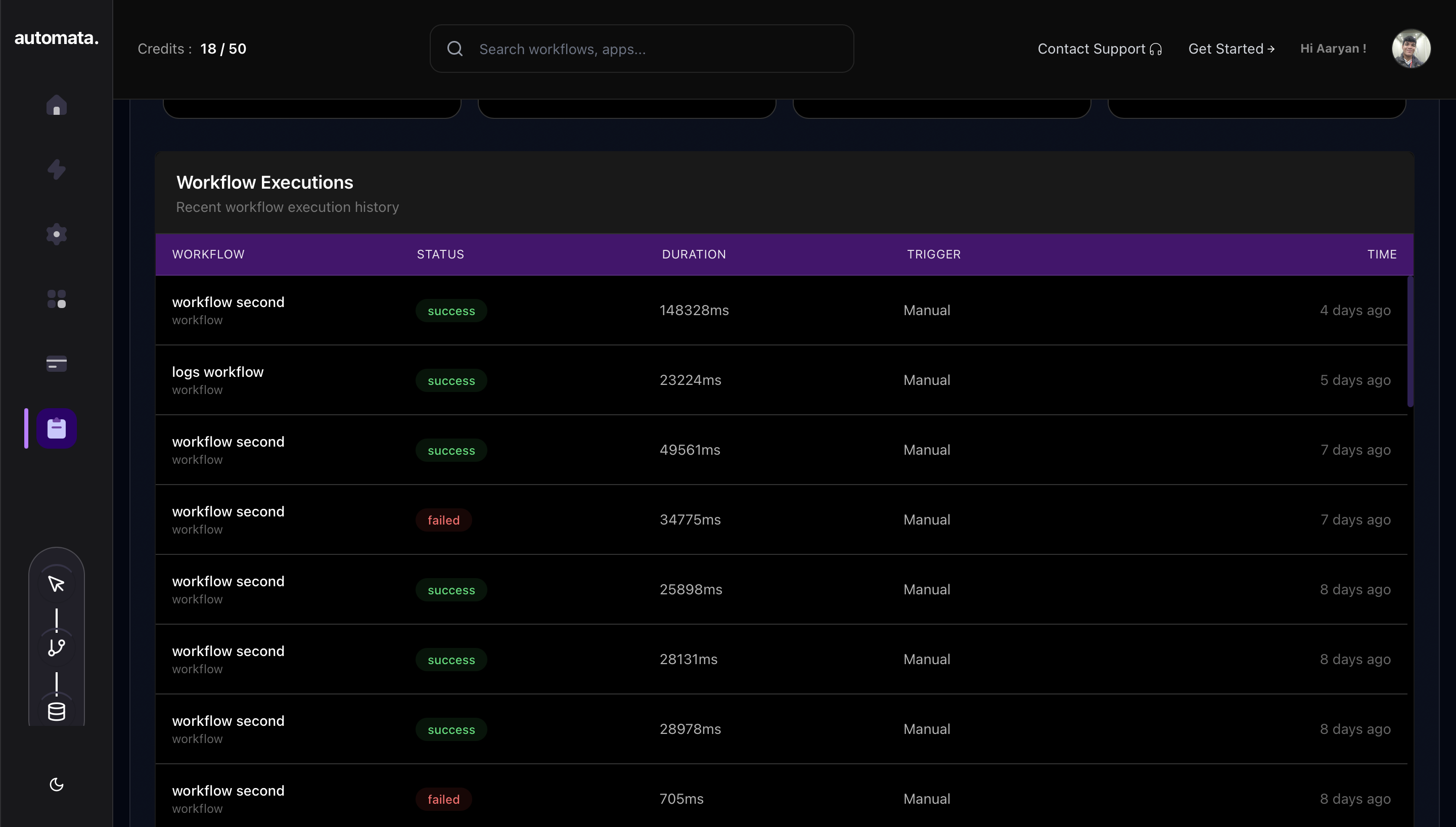
8. Execution Logging — The full runtime record (node statuses, durations, outputs, credit delta) is persisted and visible in the dashboard.
Billing & Credit System
| Feature | Detail |
|---|---|
| Model | Usage-based credits |
| Payment processor | Stripe |
| Credit tiers | Free, Pro, Enterprise |
| Execution cost | Deducted per workflow run |
| Insufficient credits | Workflow paused, user notified |
| Dashboard | Real-time credit balance and usage history |
| Webhook validation | Stripe webhook signature verified server-side |
Tech Stack
Frontend
| Technology | Version | Purpose |
|---|---|---|
| Next.js | 14 | Full-stack React framework, App Router |
| TypeScript | 5 | Type-safe development |
| Tailwind CSS | 3 | Utility-first styling |
| shadcn/ui | — | Accessible component library |
| React Flow | — | Interactive graph-based workflow canvas |
Backend
| Technology | Purpose |
|---|---|
| Next.js Route Handlers | Serverless API endpoints |
| Next.js Server Actions | Server-side mutations |
| Prisma ORM | Type-safe database client |
| Nodemailer | Transactional email delivery |
Infrastructure & Services
| Service | Purpose |
|---|---|
| Clerk | Authentication and session management |
| Stripe | Payment processing and webhook handling |
| Neon | Serverless PostgreSQL hosting |
| Render | Production deployment |
External APIs
| API | Auth Method | Used For |
|---|---|---|
| Google Drive API | OAuth 2.0 | File triggers and actions |
| Gmail SMTP | OAuth 2.0 | Email send actions |
| Google Calendar API | OAuth 2.0 | Calendar event triggers and actions |
| Slack API | OAuth 2.0 | Message triggers and posting |
| Discord Webhooks | Webhook | Message delivery |
| Notion API | OAuth 2.0 | Page and database actions |
| Gemini API | API Key | AI processing nodes |
Screenshots
| Landing Page | Dashboard |
|---|---|
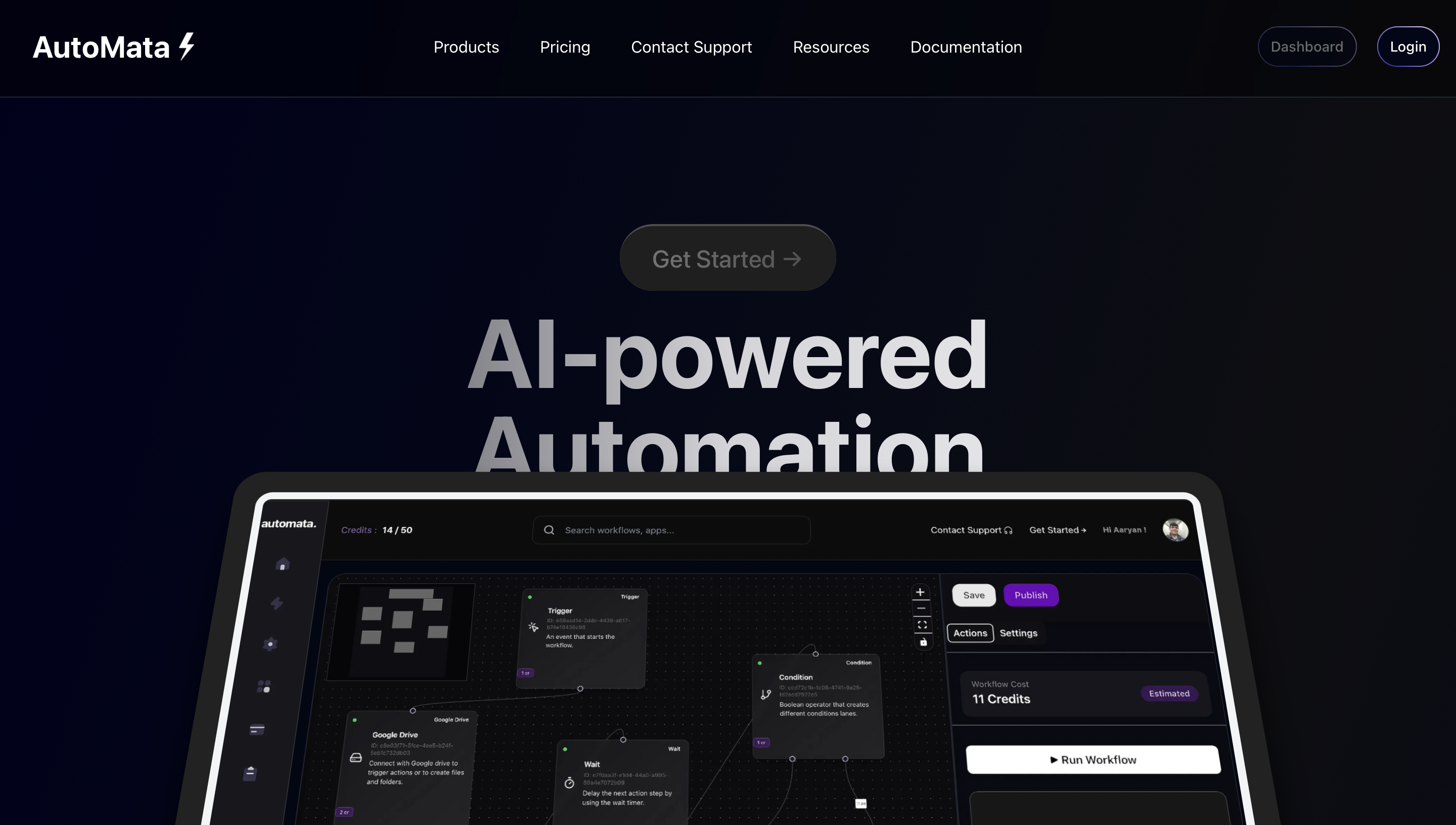 | 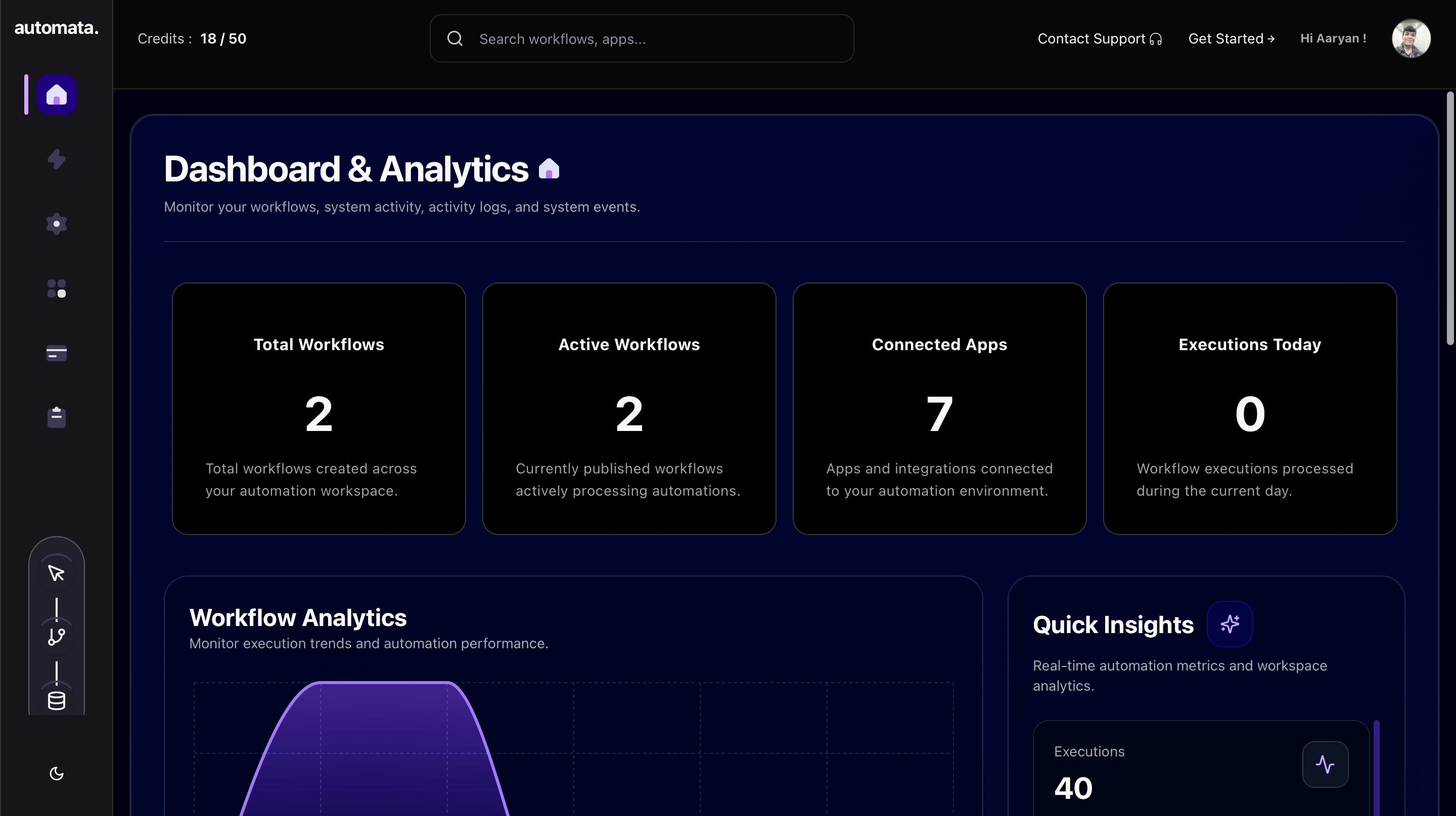 |
| Connections | Workflow Management |
|---|---|
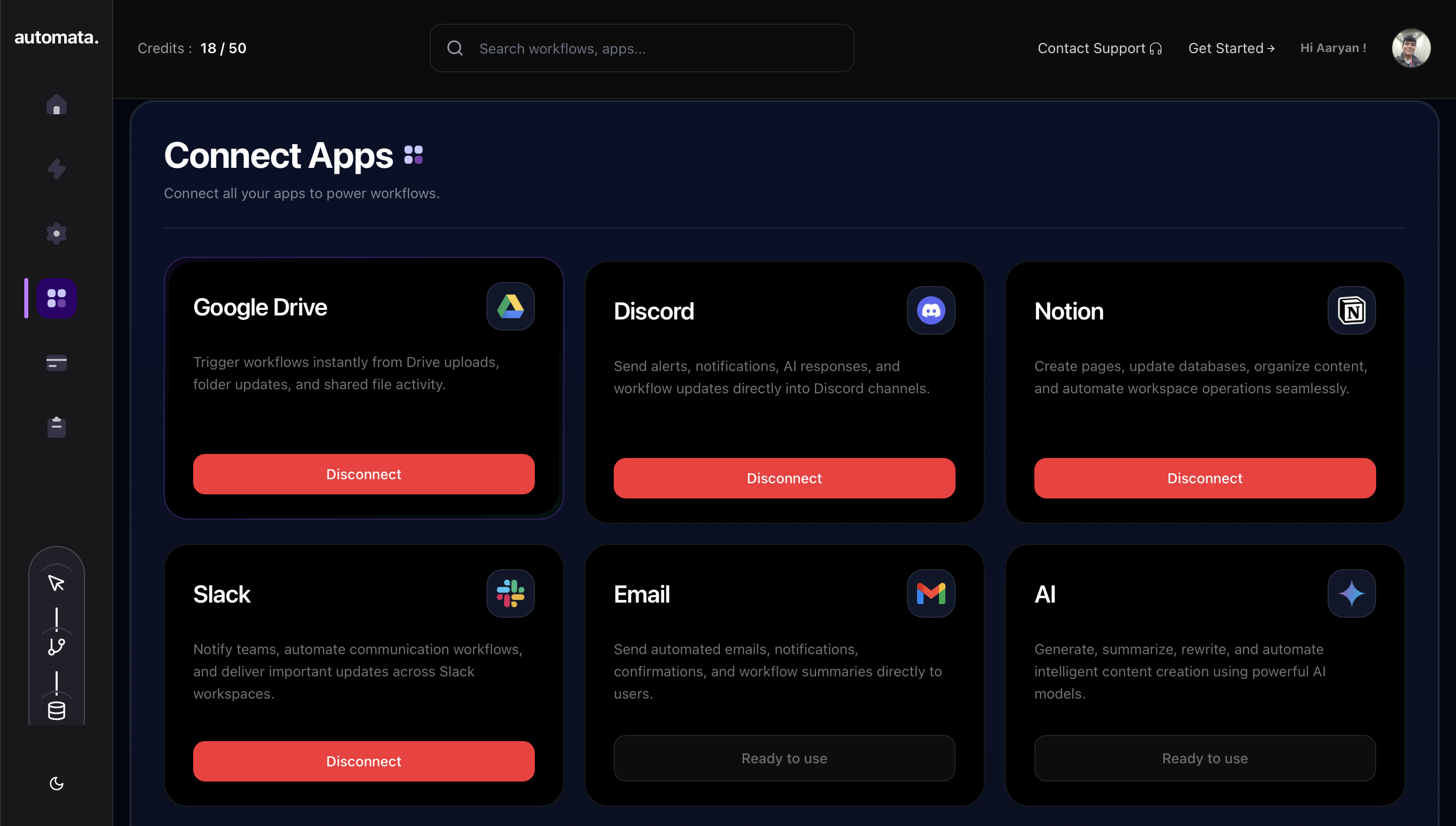 | 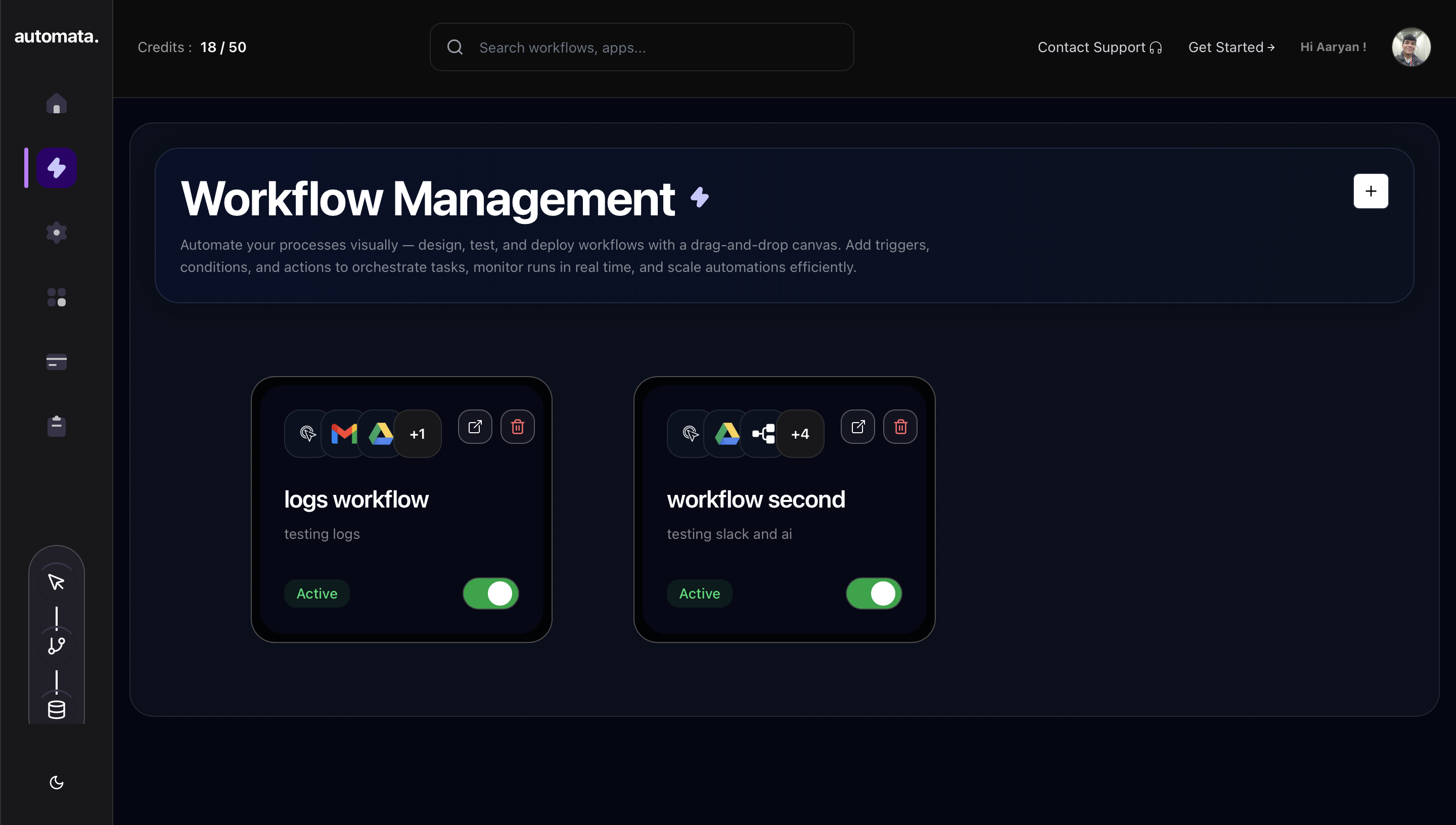 |
| Workflow Builder | Execution Logs |
|---|---|
 |  |
| Workflow History |
|---|
 |
Local Development Setup
Prerequisites
- Node.js 18+
- PostgreSQL database (Neon free tier recommended)
- Clerk account
- Stripe account with a webhook configured
- Google Cloud project with OAuth 2.0 credentials
- Slack, Discord, and Notion developer apps
Installation
# Clone the repository
git clone https://github.com/AaryanBairagi/AutoMata.git
cd AutoMata

# Install dependencies
npm install

# Configure environment variables
cp .env.example .env
# Fill in all variables — see section below

# Run database migrations
npx prisma migrate deploy

# Start development server
npm run dev
Environment Variables
# Database
DATABASE_URL=
DIRECT_URL=

# App
NEXT_PUBLIC_APP_URL=

# Authentication (Clerk)
CLERK_SECRET_KEY=
NEXT_PUBLIC_CLERK_PUBLISHABLE_KEY=

# Google OAuth (Drive, Gmail, Calendar)
GOOGLE_CLIENT_ID=
GOOGLE_CLIENT_SECRET=

# Slack OAuth
SLACK_CLIENT_ID=
SLACK_CLIENT_SECRET=

# Discord
DISCORD_CLIENT_ID=
DISCORD_CLIENT_SECRET=

# Notion OAuth
NOTION_CLIENT_ID=
NOTION_API_SECRET=

# Billing (Stripe)
STRIPE_SECRET=
STRIPE_WEBHOOK_SECRET=

# Email (Nodemailer)
EMAIL_USER=
EMAIL_PASS=

# AI
GEMINI_API_KEY=
Deployment
Before going to production:
| Step | Detail |
|---|---|
| OAuth redirect URIs | Register all callback URLs with Google, Slack, Discord, and Notion developer consoles |
| Stripe webhooks | Configure payment_intent.succeeded and subscription events, copy signing secret |
| Environment variables | Set all secrets in your hosting provider's dashboard — never commit .env |
| Database migration | Run npx prisma migrate deploy before first launch |
| Clerk production instance | Switch from development to production Clerk app and update publishable key |
Recommended stack: Render (app) · Neon (database) · Clerk · Stripe
Future Roadmap
AutoMata's core execution engine is complete. The next phase focuses on reliability, collaboration, and extensibility.
Execution Infrastructure
- Queue-backed distributed execution with Redis and BullMQ for reliability at scale
- Execution replay — re-run any failed workflow from any node in the graph
- Real-time streaming — live visualization of workflow execution as it happens
Developer Experience
- Variable autocomplete — dynamic variable picker inside node configuration panels
- Workflow templates — pre-built automation templates for common use cases
- Webhook triggers — custom inbound webhook sources beyond supported platforms
Platform Growth
- Team collaboration — shared workspaces, workflow co-editing, permission management
- Marketplace — publish and install community-built workflow templates
- Advanced analytics — execution trends, credit forecasting, per-node performance metrics
License
MIT — see LICENSE.